
Mexico AIP
Price range: $ 420 through $ 5,770
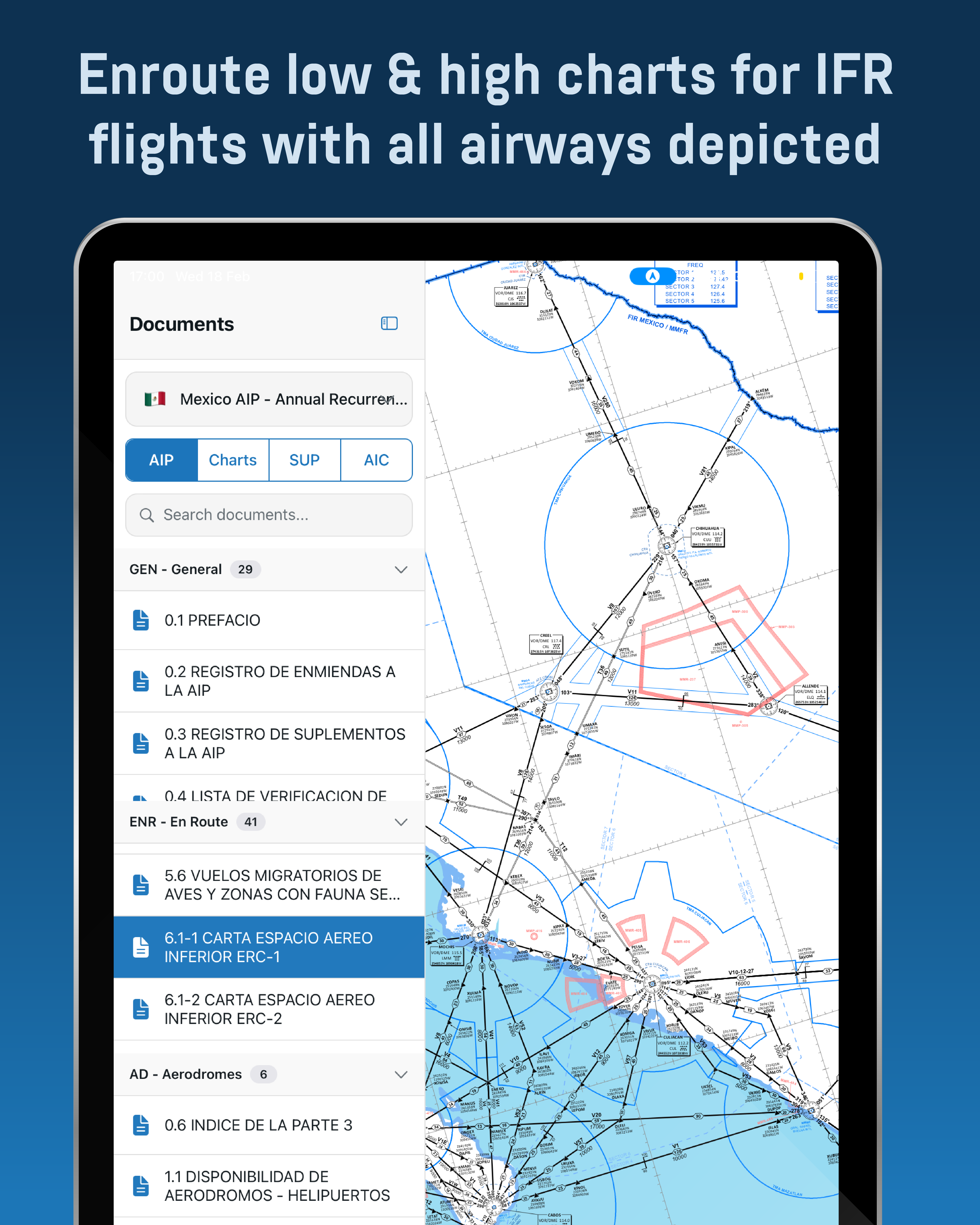
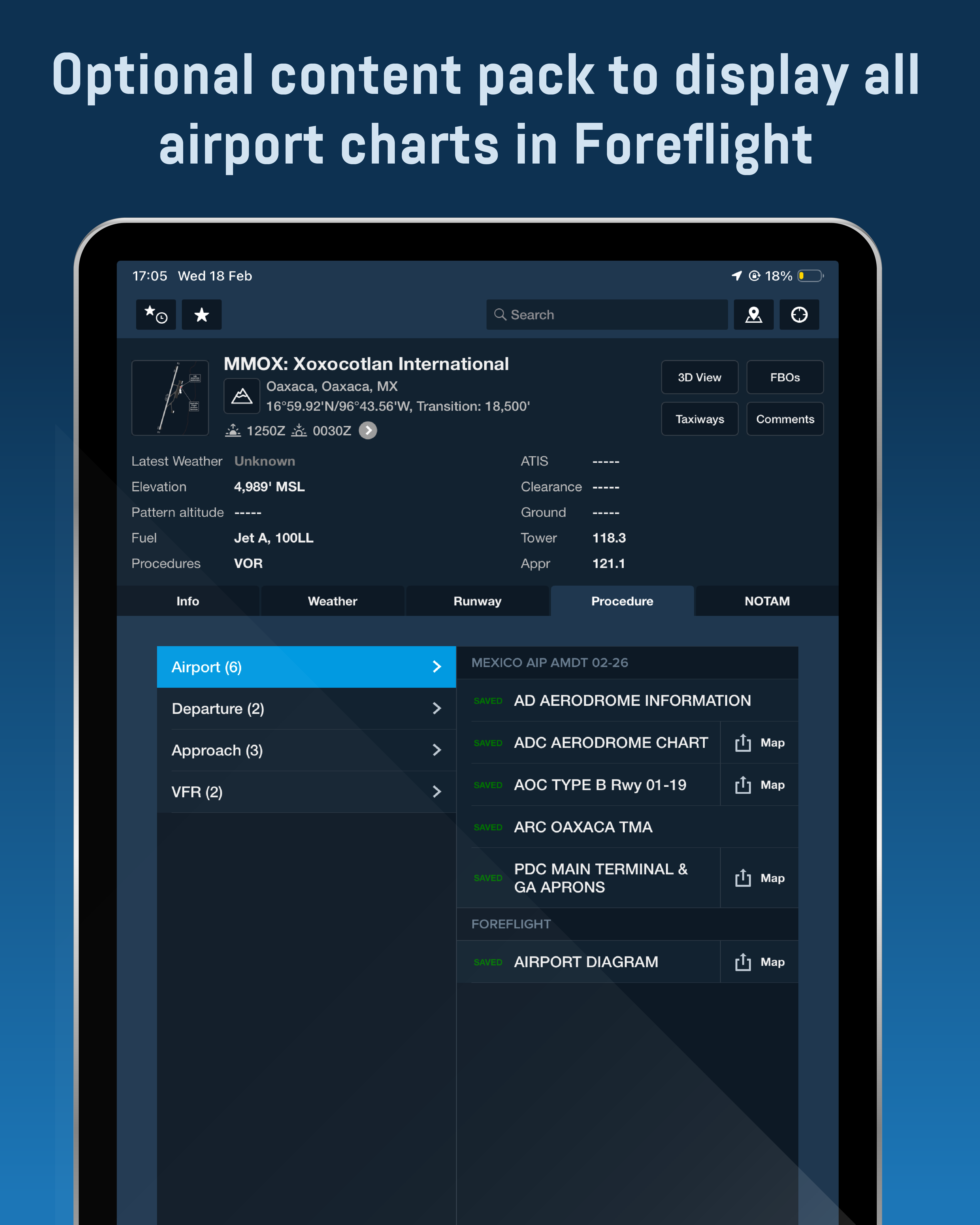
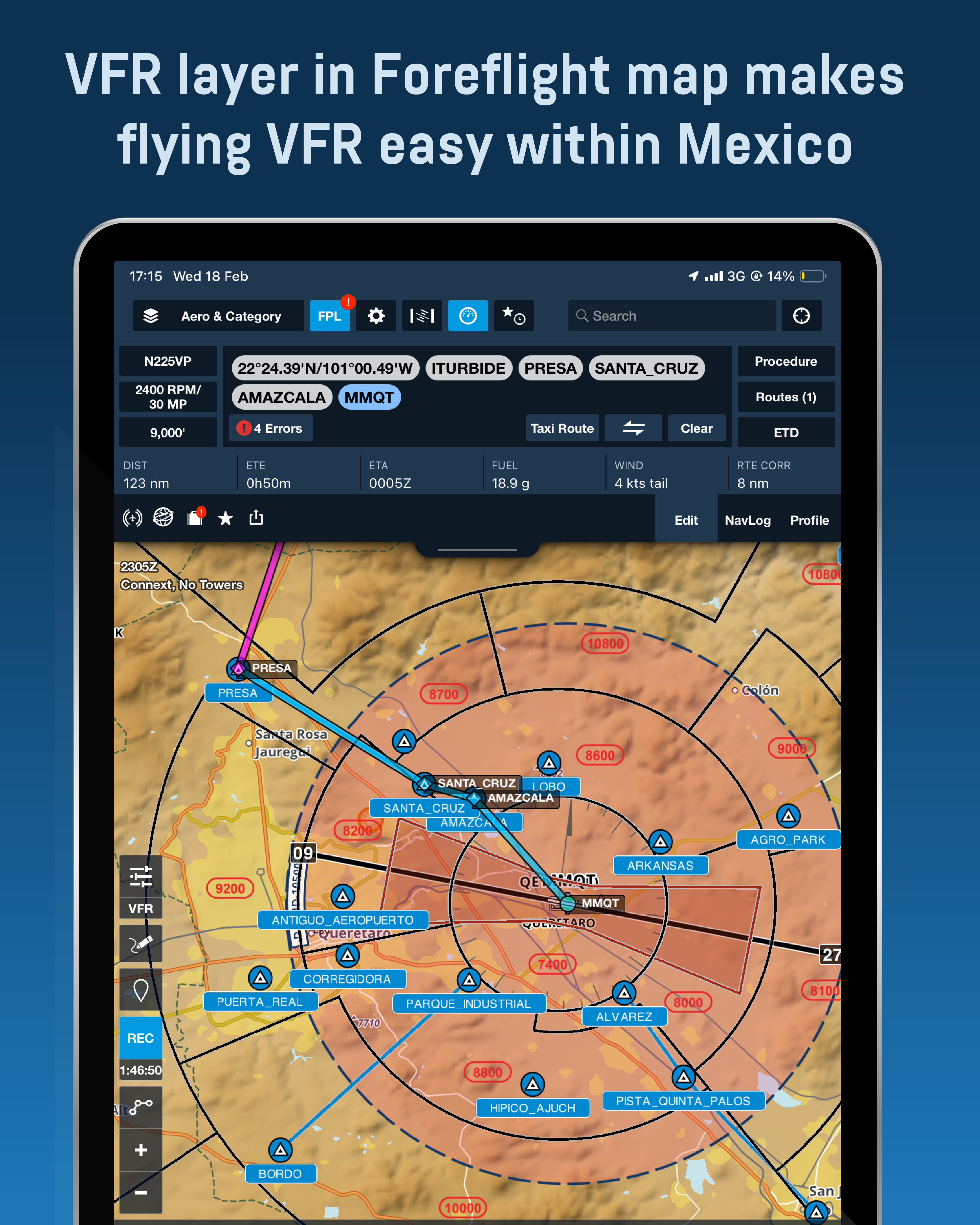
Mexico AIP Chart add-on for use with ForeFlight or Air Navigation Pro. Includes GEN, ENR and AD sections, Airport IFR & VFR Charts, SUPs, AICs, and in ForeFlight Map a VFR Procedures layer. The price includes all fees collected by the Mexican ANSP (SENEAM). An official government receipt for the corresponding subscription will be issued.
MEXICO AIP CURRENT AMDT INFORMATION:
- AIRAC AMDT 07/26
- Effective Date: 09/07/26
- Latest SUP added: 07/26
- Latest AIC added: 09/26
Next AIRAC Cycle AMDT Update: 06/08/26
- Mexico Aerodromes & Heliports Database Date: 30/03/26
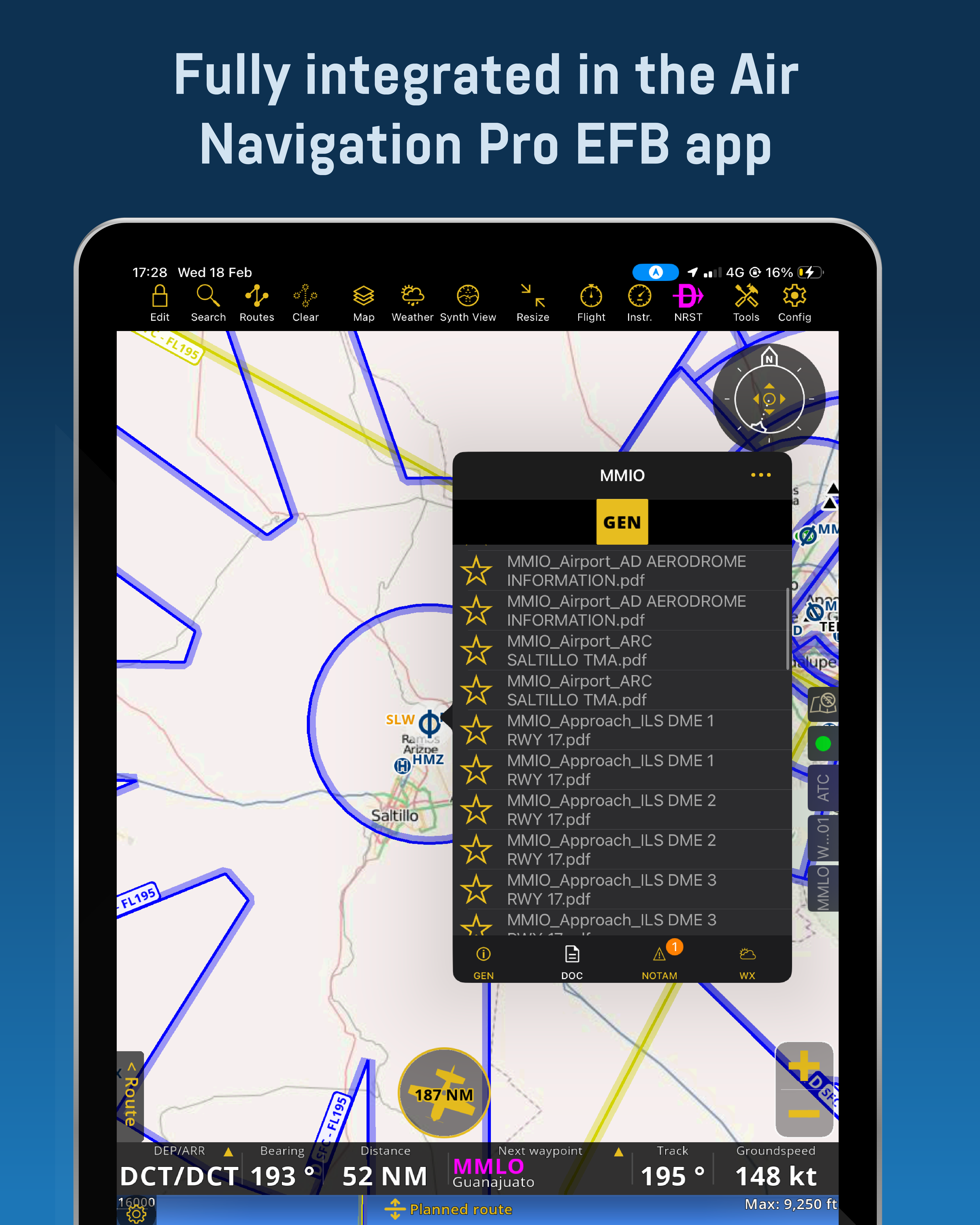
Mexico AIP Charts package contains the complete AIP published by SENEAM, covering all controlled airports and applicable uncontrolled aerodromes in Mexico. This package is designed for use with Jetstream Charts app available for iPad (any model), the ForeFlight EFB app available for Apple devices (iPad or iPhone) and the Air Navigation Pro app available for Apple and Android devices (tablet or phone); a valid ForeFlight or Air Navigation Pro subscription is required. Please visit ForeFlight website to purchase a subscription or add to your cart an Air Navigation Pro subscription within our website for your convenience.
A SENEAM/AFAC fee is included in the listed price. After purchase you will receive an official government receipt — carry this receipt when operating in Mexico, as authorities may request it. To ensure the receipt is issued correctly, enter accurate personal or company information when completing your account and purchase.
Charts are updated on the 28-day AIRAC cycle. You must manually update the charts on your iPad within ForeFlight and automatically updated inside the Jetstream Charts app & Air Navigation Pro; a quick-update procedure is available in our tutorial section for each app, to help you become familiar with the update steps.
MEXICO AIP CURRENT AMDT INFORMATION:
- AIRAC AMDT 07/26
- Effective Date: 09/07/26
- Latest SUP added: 07/26
- Latest AIC added: 09/26
Next AIRAC Cycle AMDT Update: 06/08/26
- Mexico Aerodromes & Heliports Database Date: 30/03/26
PRODUCT DESCRIPTION:
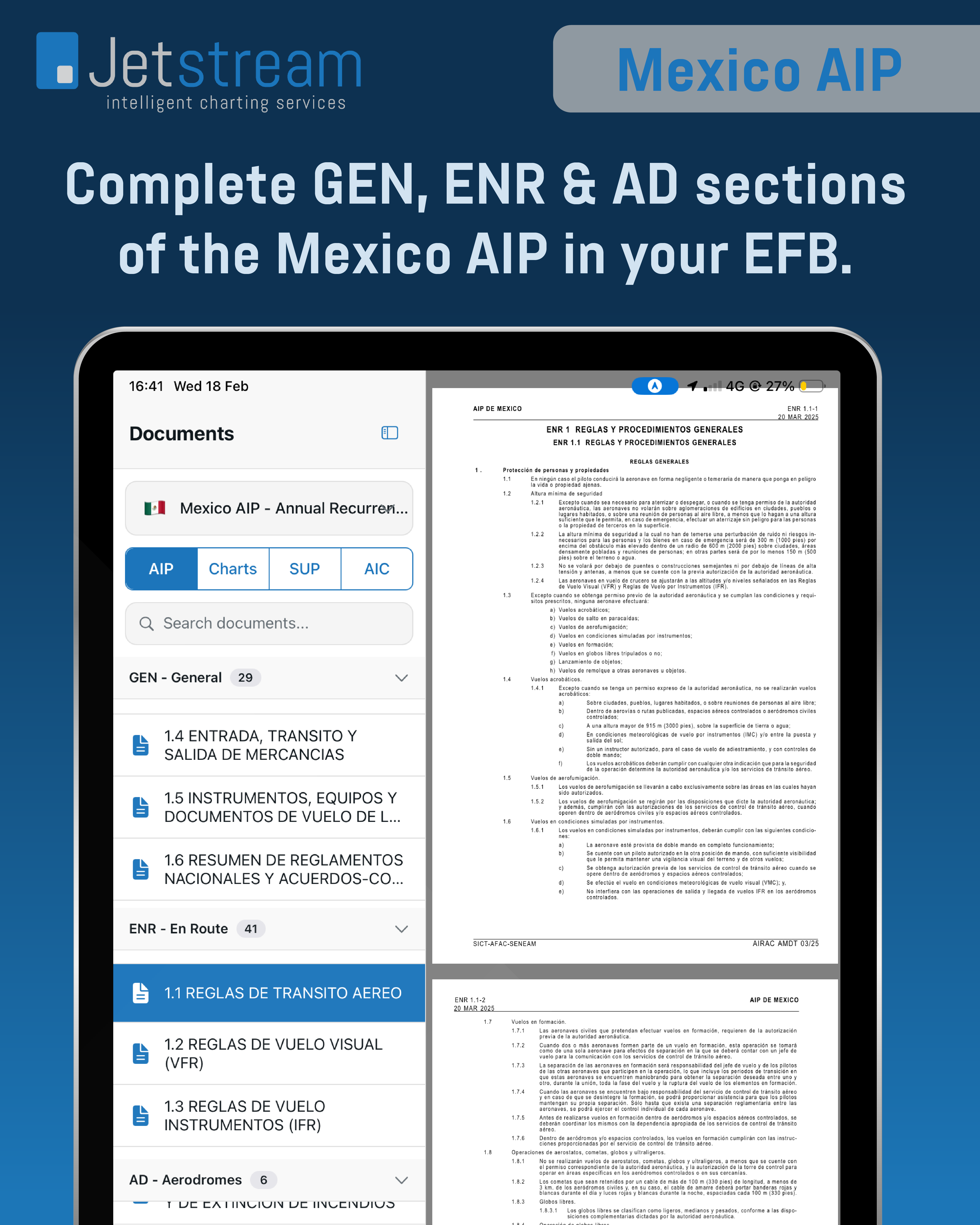
This package is divided in 5 sections:
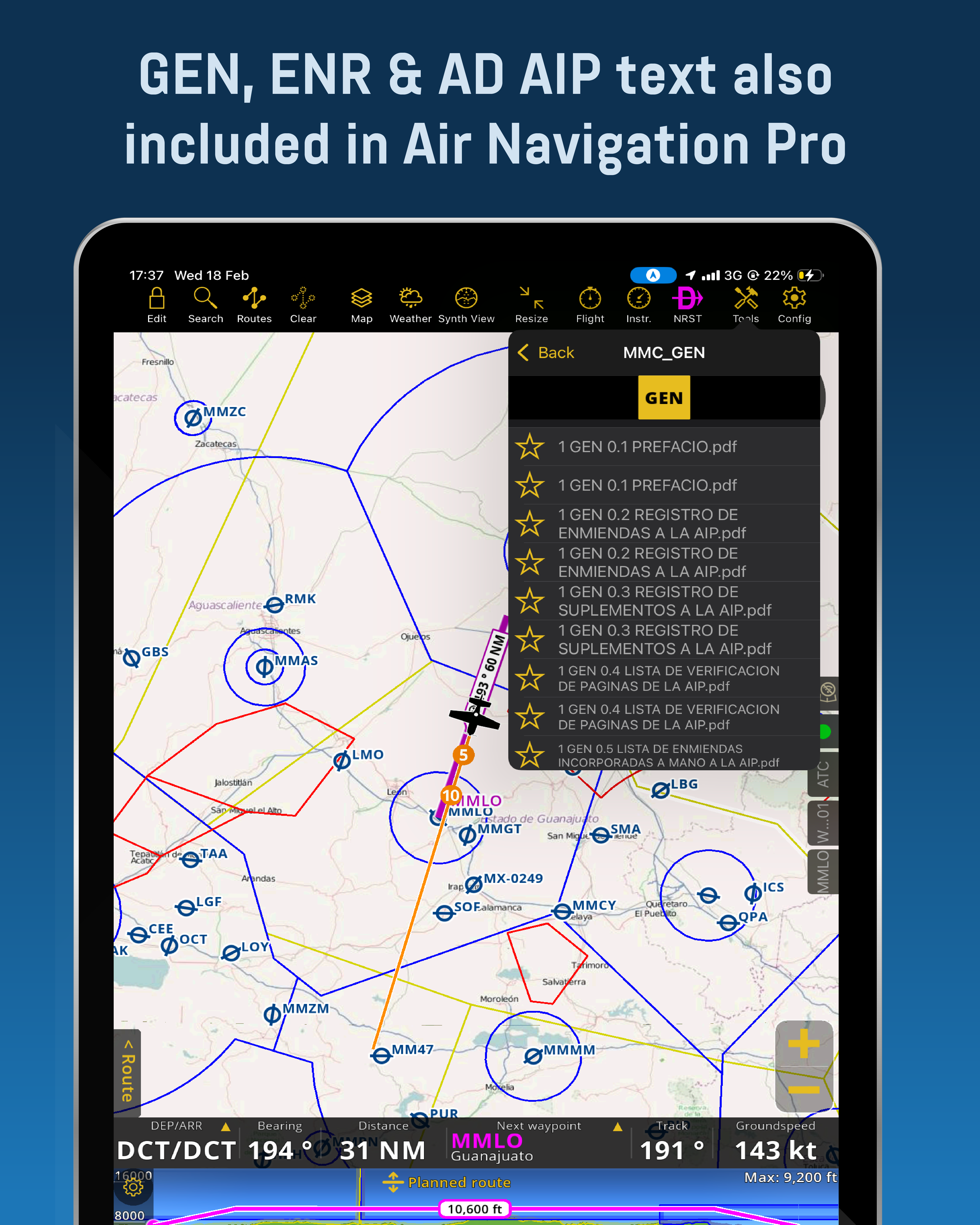
- GEN – General (Part 1)
- ENR – Enroute (Part 2)
- AD – Aerodromes (Part 3)
- SUP – Supplements
- AIC – Aeronautical Information Circulars
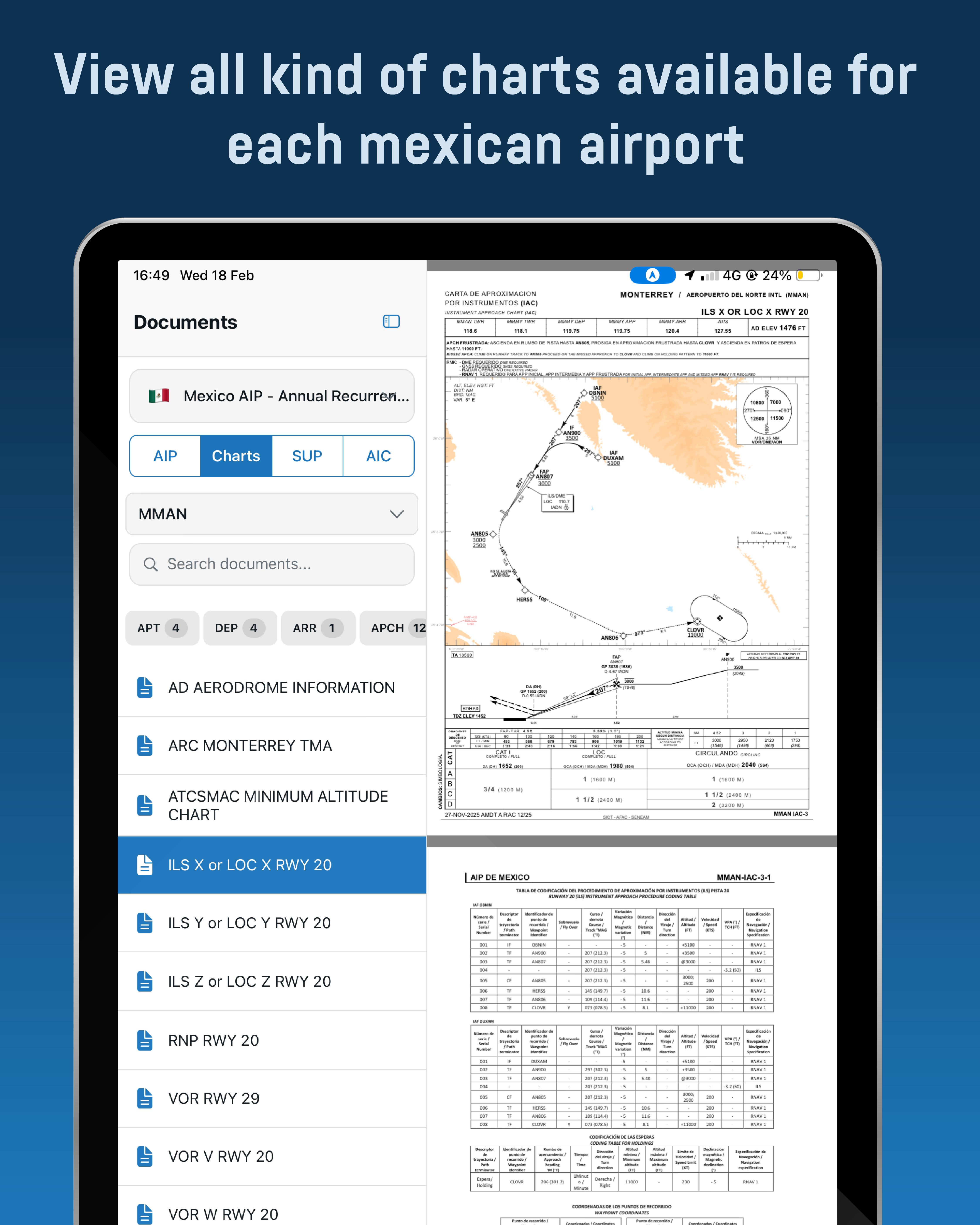
Including in AD (Part 3), you will find the following chart types for each airport that has them available. Most of these charts are georeferenced, meaning that you can view your position in the chart or superpose them in the map:
- AD – Aerodrome Information
- ADC – Aerodrome Charts
- PDC – Parking and Docking Charts
- GMC – Ground Movement Charts
- AOC – Aerodrome Obstacle Type A & B Charts
- ARC – Area Charts for each TMA
- ATCSMAC – ATC Surveillance Minimum Altitudes Charts
- SID – Standard Instrument Departure Procedure Charts
- STAR – Standard Arrival Procedure Charts
- IAC – Instrument Approach Procedure Charts
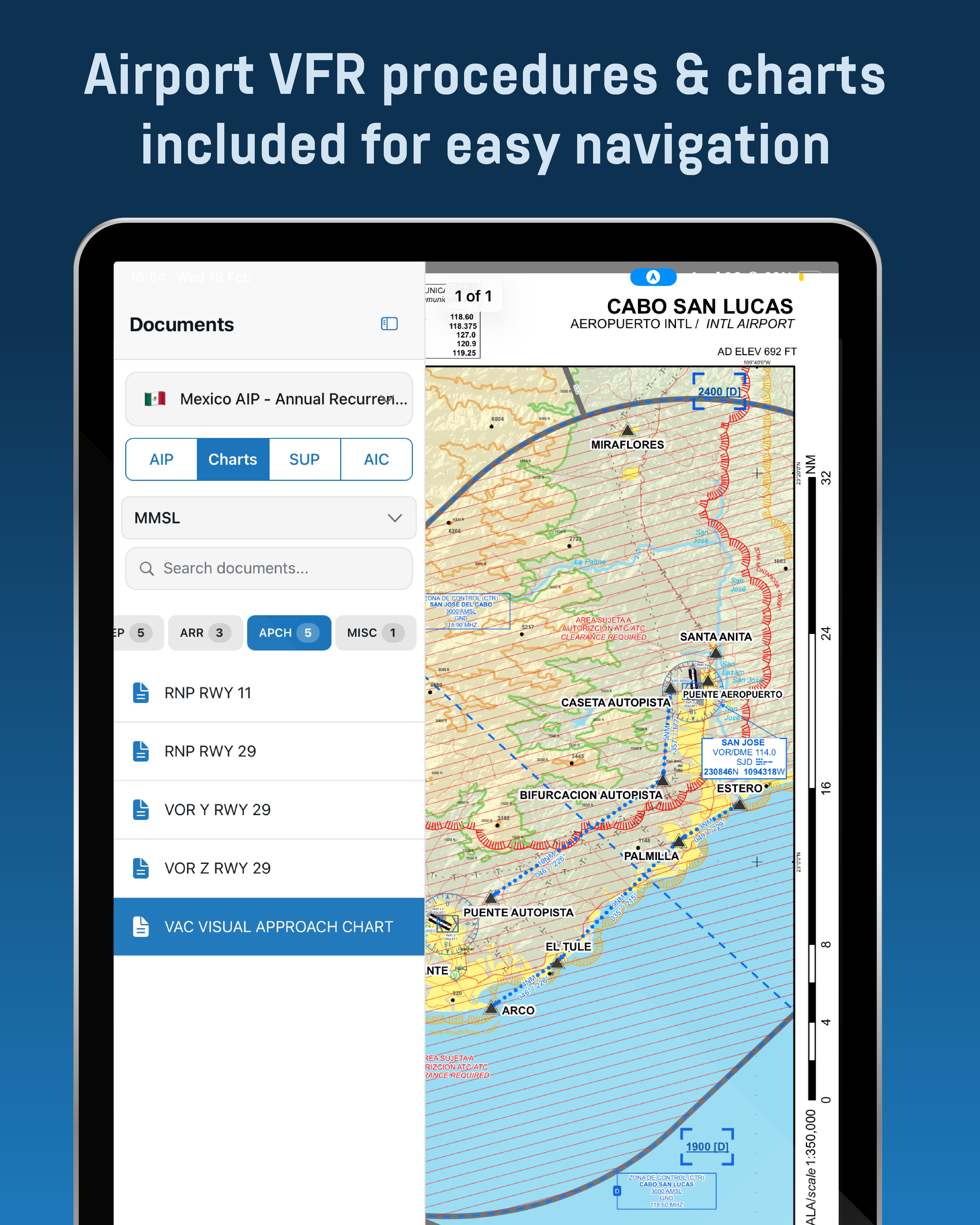
- VAC – VFR Approach and Procedures Charts
- VRC – VFR Route Charts
Aerodromes Airport diagrams & information available for: XABT, XCHM, XLOM, XPAK & XSPL.
TECHNICAL AND ADDITIONAL INFORMATION:
Countries or geographical zones included in this charts package:
- Mexico
Requirements:
- ForeFlight Users: Apple device (iPad or iPhone) with a valid ForeFlight subscription, allowing activation on up to 3 devices per account, in any combination.
- Air Navigation Pro Users: Apple device (iPad or iPhone); Android device (tablet or phone) with a valid Air Navigation Pro subscription, allowing activation on up to 3 devices per account, in any combination.
- Approximately 1.2 GB of free space.
ForeFlight Users: The complete content of this charts package is integrated in a single file easy to install manually by the user every 28 days.
Air Navigation Pro Users: Charts are updated automatically within the app every 28 days accordingly with the AIRAC Calendar dates.
Included with this product you will have all Mexico VFR navigation WAC charts (Scale 1:500,000) divided in 5 geografical areas and a total of 30 VFR Navigation Area Charts for most important airports. These charts are provided in a separate file which is revised every 6 months matching AIRAC dates.
Mexico VFR Navigation Charts Current Cycle Information:
- Revision 4
- Effective Date: 19/03/26
Next AIRAC Cycle Update: 18/03/27
Requirements for VFR Navigation Charts:
- iPad or iPhone with a valid ForeFlight subscription.
- Approximately 4 GB of free space.
- Fast internet connection just for downloading the required files. No internet connection needed once loaded in ForeFlight.
FOREFLIGHT ONLY ADDITIONAL FEATURES:
VFR procedures and fixes are included in two layers visualized within the ForeFlight map section:
- Mexico VFR Proc: This layer includes all the VFR corridors, maximum VFR altitudes and VFR fixes without labels. You can toggle this layer at the bottom of the right column within the layer selection pane in the map section.
- Mexico VFR Fixes: This layer includes all the VFR fixes including labels. If you activate this layer, you will be able to select and navigate to a VFR fix and add it easily to your route as well. You can toggle this layer at the bottom of the right column within the layer selection pane in the map section.
Mexico Aerodromes are included are visualized within the map in 2 layers:
- VALID: Contains airports with a current permit with AFAC, however always check for permit expiration dates before flying.
- CLSD: Contains airports without a current permit with AFAC. In these category of airports, some might be inexistent, inoperable or just without a permit.
Make your EFB more powerful with these tools!
| Type of subscription | Single Update, Annual First Time, Annual Recurrent |
|---|---|
| Device Usage Capacity | 3 personal devices in combination using Air Navigation Pro or ForeFlight. Example: 2 iPad & 1 iPhone, For the Jetstream Charts app, only 3 iPad devices allowed, as the app is only featured for iPad and not available in iPhone |
| AMDT Update Schedule | Every 28 Days, on AIRAC calendar dates. |
| Update Procedure | Manually by the user in ForeFlight as a content pack, Automatic in app download inside Jetstream Charts App and Air Navigation Pro |
| Countries included | Mexico |
| AIP Sections Included | GEN, ENR, AD, SUP, AIC |
| Compatible Apps | Foreflight, Air Navigation Pro |
| Air Navigation Pro compatible Devices | iPhone or iPad with iOS 15 or higher, Android tablet or phone with Android 7.1 or higher, Windows devices with Windows 10 or higher, MacOS with M1 chip or higher |
| ForeFlight Compatible Devices | iPad & iPhone with iOS 12.5.7 or later, preferably iOS 17+ for faster performance. |
| Free storage space | 1.2 GB for AIP & Airport Charts, 4 GB for VFR Charts (ForeFlight only) |
| License Information | If you own or fly an aircraft, you must buy a subscription per aircraft to comply with Mexican authorities requirements. |
Be the first to review “Mexico AIP”
Related products


Reviews
There are no reviews yet.